
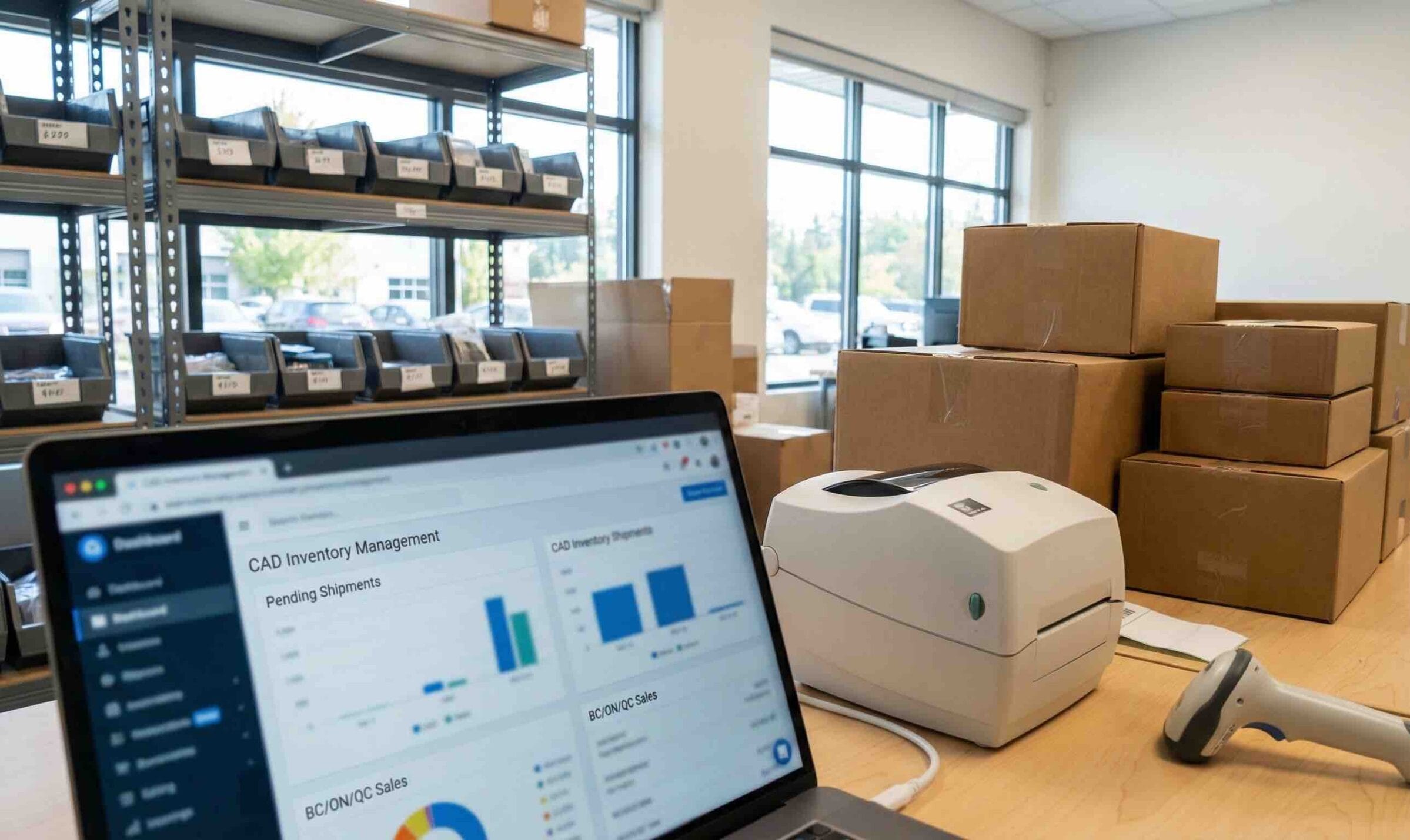
QuickBooks inventory integration is one of those “boring” decisions that quietly controls your margins, your month-end close, and how confident you feel when someone asks, “Are we actually making money on this product?”
If you carry inventory, you already know the pain shows up in familiar places. COGS looks wrong. Stockouts happen when you swear you had product. Month-end turns into a spreadsheet scavenger hunt where three people disagree on what “on hand” even means.
QuickBooks Online (QBO) can handle basic inventory. But many growing Canadian businesses hit a ceiling. The fix usually is not more spreadsheets. It’s a smarter QuickBooks inventory integration that protects your inventory asset, keeps COGS honest, and reduces manual entry without creating a mess in the general ledger.
This guide walks you through when QBO inventory stops being enough, what must sync (non-negotiables), and which integrations are worth shortlisting for 2026.
Why QuickBooks inventory integration matters to decision-makers
Inventory is where profit leaks hide.
When systems are out of sync, the symptoms look operational, but the cause is often accounting logic. A few examples I see a lot:
Your purchasing team books items correctly, but the sales side pushes revenue faster than costs. Now margin reporting is misleading.
Someone posts purchase orders as expenses instead of inventory. COGS looks inflated, and your inventory asset stays understated.
Stock adjustments happen in the warehouse system, but never make it to QBO. Month-end becomes a debate instead of a reconciliation.
A well-designed QuickBooks inventory integration reduces double entry, but more importantly, it keeps the financials trustworthy. That’s the part decision-makers care about. If the accounting is right, you can price confidently, buy confidently, and close the month without dread.
If you want a good companion read on keeping ecommerce books clean, see our post on Shopify bookkeeping best practices. A lot of “inventory problems” are really sales channel and payout problems that landed in the books without a plan.
When QuickBooks Online inventory isn’t enough
QBO inventory works fine for simple setups: one location, limited SKUs, no traceability requirements, and no assembly or light manufacturing. The trouble starts when you need inventory to behave like operations, not just bookkeeping.
Here are common breaking points.
Assemblies, kitting, and light manufacturing
If you build products from components (or want real bills of materials), QBO isn’t designed for true assembly workflows. Many businesses end up tracking builds outside QBO and pushing summaries back in, which increases the risk of timing and valuation issues. If you want to see how Intuit frames this limitation, review their help article on inventory assemblies in QBO.
Lot, serial, and expiry traceability
If you need traceability for warranty, recalls, regulated products, or batch and expiry control, you’re in advanced inventory territory. Intuit’s documentation on serial number tracking is a good reference point for what “advanced” typically looks like across QuickBooks products.
Multiple warehouses or inventory by location
If you store stock in multiple warehouses (or even multiple stock rooms) and need “quantity by location,” QBO is limited. Intuit’s discussion on multi location inventory management is a useful starting point for understanding where the gaps are.
If you’re in manufacturing, you may also like our deeper accounting explanation in Accounting for inventory in a manufacturing company. It helps frame why your integration needs to protect both operations and financial reporting, not just quantities.
What an inventory app must sync (non-negotiables)
A QuickBooks inventory integration is not just about quantities on hand. It’s about syncing the accounting impact in a way that matches how QBO expects inventory to flow.
Here’s what must be handled cleanly.
Sales, plus the COGS and inventory asset movement
In a perfect world, sales transactions flow in (invoices or sales receipts), and the system properly records the reduction of inventory and the matching COGS entry. If this step is wrong, your margin reporting is basically fiction.
Purchases posted to inventory asset, not expensed
This is the most common source of “my COGS makes no sense.” Purchases of inventory should increase Inventory Asset (balance sheet), then move to COGS when sold. When purchases go straight to expense, you get timing distortions and ugly cleanups later.
Adjustments and stocktakes with clear offset accounts
Shrinkage, write-offs, damages, and cycle count adjustments need to land in the right place. Ideally, you map these to dedicated adjustment accounts so you can see patterns and tighten controls.
Transfers and builds (if applicable)
If you move stock between locations or you build finished goods from components, you need a system that can represent those movements without forcing manual journal entries every week.
If you’re troubleshooting, QBO’s own explanation of how inventory and COGS work is worth reading. It helps you spot why an integration is posting the “right looking” transactions that still produce the wrong margins.
From a Canadian compliance standpoint, don’t forget you also need clean source documentation. The CRA’s guidance on keeping records for your business is the baseline I point clients to when they’re tightening up inventory support documents.
QuickBooks inventory integration reality check: what should land in QBO
When people say “the integration works,” I always ask one practical question: if you stop touching spreadsheets for a month, will the inventory asset and the COGS still reconcile?
A reliable QuickBooks inventory integration should land these items correctly in QBO:
Revenue is recorded once, not duplicated by multiple sales channels.
Inventory Asset moves based on actual purchasing and stock changes, not guesswork.
COGS is recognized once, and only once, when items are sold.
Adjustments have a clear trail: what changed, why, and which account absorbed the variance.
If an app can’t do those basics cleanly, it might still be a decent operations tool, but it’s not a good accounting partner.
Best inventory apps to consider as a QuickBooks inventory integration in 2026
There is no single “best” option for everyone. The right pick depends on complexity, traceability, sales channels, and how much manufacturing is involved.
Below are four common shortlists I see for Canadian small and mid-sized businesses using QBO.
SOS Inventory for assemblies, lots or serials, and multi-location workflows
SOS Inventory is often evaluated when you need stronger inventory control than QBO but you do not want a full ERP. It’s commonly used for light manufacturing, assemblies, and more structured purchasing and sales order workflows.
If you are trying to solve assemblies and multi-location tracking, SOS Inventory can be a practical QuickBooks inventory integration to shortlist. Intuit’s marketplace listing for SOS Inventory gives a quick overview of the use cases it’s built for.
Where it tends to work well:
Best fit when you need stronger control than QBO without moving to a full ERP.
Where you still need care:
Item master setup, SKU discipline, and mapping adjustment accounts properly. The tool can be fine, but messy items will still produce messy books.
Katana for manufacturing visibility and cleaner production costing
Katana is popular with makers and manufacturers because it treats production like production. That matters when you’re trying to understand true margins by product line.
As a QuickBooks inventory integration, Katana is often chosen when you need manufacturing workflows, bills of materials, and production planning, while still keeping QBO as the accounting system. If you’re comparing options, start with Intuit’s listing for the Katana integration, then read Katana’s own documentation on syncing stock with QuickBooks Online to understand what can be automated.
A Canadian note: if you’re dealing with landed costs (freight, duty, broker fees), you’ll want a clear approach for where those costs land and how they get allocated. Sometimes that’s in the inventory tool, sometimes it’s via clearing accounts in QBO. Either way, decide it upfront.
If you want to tighten up how these costs show up in your statements, it helps to revisit your accounting method choices. Our post on the difference between accrual and cash accounting explains why inventory businesses are usually better served by accrual-based reporting for decision-making.
Cin7 Core or Cin7 Omni for multi-channel and operational complexity
Cin7 often enters the conversation when you sell across multiple channels and need one “hub” for inventory, purchasing, and order management. Wholesale plus ecommerce is a common fit, especially if you are juggling EDI, multiple price lists, and different fulfilment paths.
As a QuickBooks inventory integration, Cin7 is typically evaluated for its ability to centralize inventory activity and push clean financial impacts into QBO. Their documentation on Cin7 Core’s QuickBooks Online integration is a practical overview of how the sync is intended to work.
If your sales channels include Shopify, Amazon, or marketplaces, take a look at our guide on How to optimize bookkeeping for your eCommerce business. Integrations work best when your clearing accounts and payout reconciliations are designed before you turn on syncing.
Fishbowl for warehouse-driven operations that need stronger controls
Fishbowl is often considered in warehouse-heavy environments where picking, packing, and inventory control are the daily reality. If your operational team needs warehouse features that QBO does not aim to provide, Fishbowl can sit in front while QBO remains the financial system.
As a QuickBooks inventory integration, Fishbowl’s value is usually in reducing duplicate entry and pushing general ledger impacts back to accounting. Here’s Fishbowl’s overview of how it integrates with QuickBooks Online.
The key question to ask in demos: how does it handle adjustments, returns, and timing differences? That’s where “works great” can quietly turn into month-end cleanup.
Setup checklist that prevents costly mistakes
Most integration horror stories are not software problems. They’re setup problems.
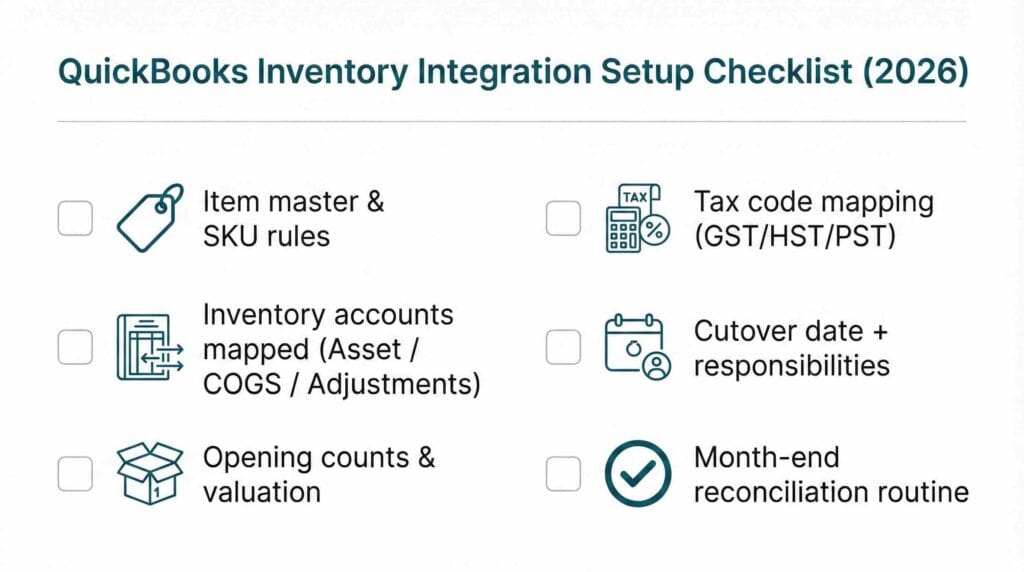
Here’s the practical order I recommend, and it applies to every QuickBooks inventory integration I’ve ever seen succeed.
Start with item master hygiene
Pick one naming convention and stick to it. One SKU should equal one product. Decide how you handle variants (size, colour, packaging) so you do not create duplicate “shadow” items later.
Confirm the accounts before you connect anything
At minimum you want: Inventory Asset, COGS, and an inventory adjustments account. Many Canadian businesses also benefit from a freight and duty clearing account if landed costs are meaningful.
Lock down tax code mapping early
If you sell across provinces, GST/HST and PST mapping needs attention. The point is not just compliance. It’s clean reporting by product and channel. If you’re unsure where to start, the CRA’s GST/HST guide (RC4022) is a helpful reference.
Choose your cutover date and document it
Pick a date that is operationally calm if possible. You want a clean opening count, opening valuation, and a clear paper trail for how numbers were calculated.
Decide where adjustments will live
Pick one system as the “source of truth” for adjustments and stocktakes. If both systems can change inventory independently, you will get valuation drift.
Build a simple month-end reconciliation routine
You want a recurring process that ties inventory reports to the QBO balance sheet. If this becomes a monthly habit, small issues stay small.
Common integration failures (and why they happen)
If you want to stress-test a QuickBooks inventory integration, look for these failure modes.
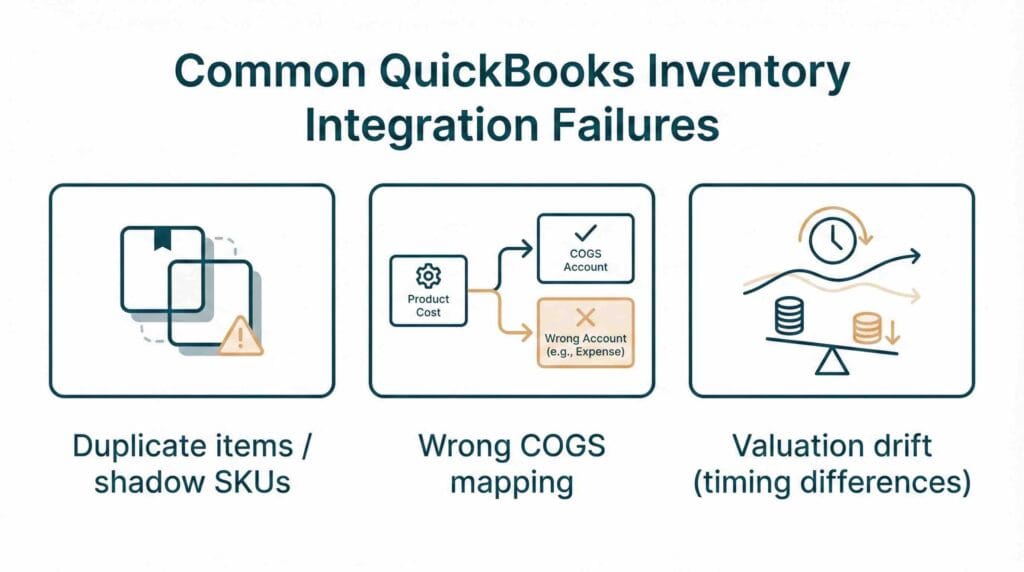
Duplicate items and shadow products
This usually happens when item creation is allowed in multiple systems, or when imports happen more than once. The fix is prevention: lock down item creation rules and use SKU discipline.
Wrong COGS because purchases are misclassified
When inventory purchases hit expense accounts, you will see inflated costs and distorted margins. It also makes periods look “profitable” or “unprofitable” purely based on timing. A proper QuickBooks inventory integration should post purchases to Inventory Asset, then move them to COGS when sold, consistent with QBO’s own explanation of inventory and COGS.
COGS double-posted
Sometimes the inventory app posts COGS and QBO also calculates COGS based on items. This creates double counting. The fix is to decide which system is responsible for the accounting entries, then configure accordingly.
Inventory valuation drift
This is the slow leak. It’s caused by timing differences, negative inventory, manual journals, or adjustments entered in the wrong place. Drift is also common when sales sync immediately but costs sync later, so QBO reports margins that temporarily look amazing (until they don’t).
If you want a broader framework for reducing manual errors and tightening routines, our post on How to set up a small business bookkeeping system pairs well with this. Integrations are strongest when your bookkeeping workflow is already consistent.
Which tool fits you? A practical decision matrix for 2026
Instead of trying to pick the “best” app, pick the best match for how your business actually behaves.
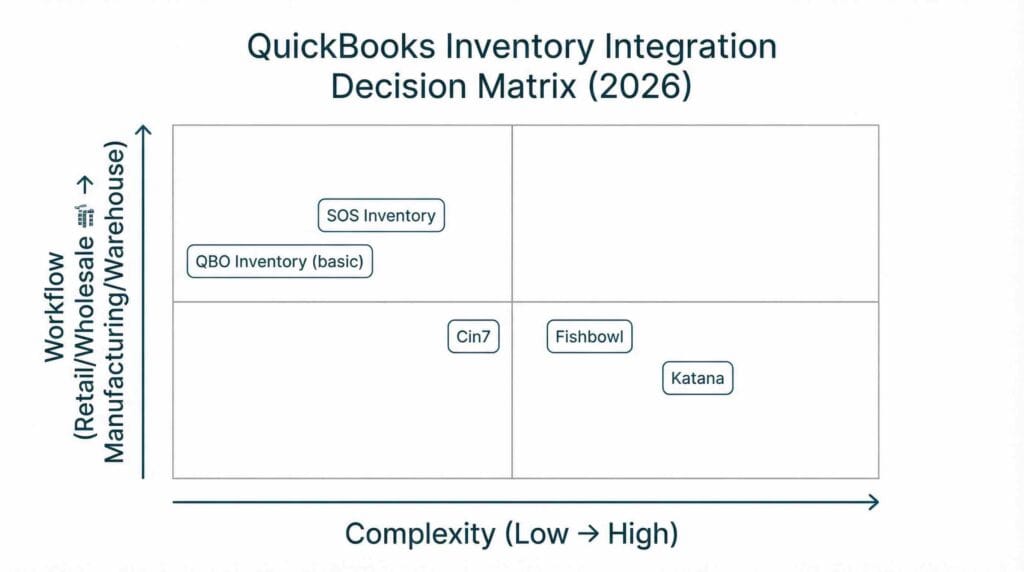
If you are simple retail, one location, low SKUs
You may be fine staying in QBO inventory, especially if you mainly need basic buying and selling. In this case, the best QuickBooks inventory integration might be none at all, and your effort is better spent on clean item setup and consistent receiving.
If you are wholesale plus multi-channel sales
Cin7 is often shortlisted because it can operate as an inventory hub across channels. A QuickBooks inventory integration in this environment should prioritize clean clearing accounts, reliable order-to-cash sync, and consistent tax mapping.
If you are manufacturing or assembly-heavy
Katana is commonly evaluated because production workflows matter. Your QuickBooks inventory integration should handle builds, component consumption, and finished goods in a way that keeps COGS and Inventory Asset credible.
If you need traceability, lots or serials, and location control
SOS Inventory tends to come up because it supports more structured tracking than QBO. In this scenario, the QuickBooks inventory integration needs a strong audit trail for adjustments and transfers.
If you are warehouse-driven and need stronger picking and control
Fishbowl is often considered. Here, the QuickBooks inventory integration should be tested on returns, damages, and cycle counts because that’s where the real work happens.
Implementation tips that keep month-end clean
A QuickBooks inventory integration can look great in a demo and still cause a messy close if roles and routines are unclear.
Here are the implementation habits that make a big difference.
- Assign a single owner for item master changes
Not “everyone who needs it.” One owner who follows rules. This alone prevents months of cleanup. - Use a sandbox mindset for the first close
Treat the first month as a stabilization period. You will find mapping issues. Plan for it and fix them quickly. - Reconcile payouts and deposits separately from inventory
Inventory integrations often intersect with ecommerce payouts and payment processors. Keep those reconciliations structured so inventory and revenue are not being “fixed” with random journal entries. - Document your rules in plain language
You do not need a 40-page SOP. You need a one-page “how we do it here” document: where purchases are entered, where adjustments are entered, and who approves changes.
A quick final checklist before you commit
Before you sign anything, make sure your shortlist can answer these questions clearly:
- Will this QuickBooks inventory integration post purchases to Inventory Asset, not expenses?
- How does it handle stocktakes and shrinkage, and what accounts do those variances hit?
- Can it prevent duplicate item creation across systems?
- Can you run a report that ties to the QBO inventory asset balance?
- Does it support Canadian sales tax mapping for how you sell (GST/HST and PST where applicable)?
If the vendor or implementer can’t give you confident answers, pause. The cost of a “quick” setup that later needs cleanup is almost always higher than doing it properly from the start.
At Valley Business Centre, we’ve supported businesses across Metro Vancouver, Whistler, Squamish, and the Sea to Sky Corridor for more than 30 years with bookkeeping, payroll, tax preparation, and cloud accounting systems.
If you’re a BC business with inventory in Vancouver, Surrey, Burnaby, Richmond, Coquitlam, or North Vancouver and you want a QuickBooks inventory integration that actually reconciles at month-end, reach out. We can help you tighten up tracking, map inventory and COGS correctly, and reconcile deposits and payouts so year end feels straightforward instead of stressful.
