

CRA payroll audit red flags rarely show up as one dramatic mistake. More often, it’s a handful of small payroll habits that don’t quite line up, and over time they start to look like a pattern.
If you’re an owner, controller, HR manager, or operations lead, the stress usually isn’t the audit letter itself. It’s the scramble that follows: pulling timesheets, explaining contractor relationships, rebuilding taxable benefit calculations, and trying to make your payroll reports match what went to CRA.
The practical goal for 2026 is simple: build payroll routines that make CRA questions easy to answer, quickly, with clean support.
Why CRA payroll audits happen (and why they get expensive fast)
CRA payroll reviews exist to confirm you’re meeting your obligations for source deductions and reporting. When CRA audits, they’re looking at your books and records, and they expect you to be able to support what you filed and paid.
The cost to you is often indirect.
You can lose days of staff time, especially if payroll information is spread across inboxes, spreadsheets, and software that doesn’t reconcile neatly. If CRA finds issues, you may also be dealing with amended slips, retroactive CPP/EI calculations, interest, and penalties.
That’s why CRA payroll audit red flags matter even if you “basically do payroll right.” Payroll compliance is one area where “almost” can still get expensive. If you want a broader refresher on the rules that tend to trip employers up, see Navigating Canadian Payroll Regulations: Compliance Tips for Businesses.
CRA payroll audit red flags employers can control in 2026
Below are the most common CRA payroll audit red flags we see in growing Canadian businesses, especially when headcount increases, benefits get more complex, or the business relies on a mix of employees and contractors.
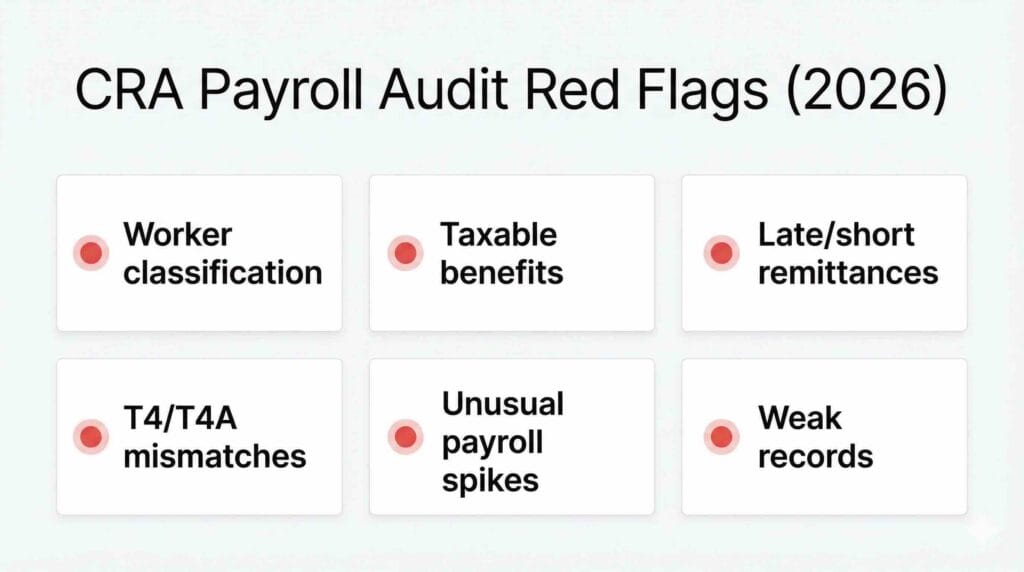
1) Worker classification problems (employee vs contractor)
Misclassification sits near the top of the list because it affects CPP, EI, and income tax withholding responsibilities. If someone should have been treated as an employee, CRA may assess payroll deductions that should have been remitted.
The tricky part is that many businesses don’t misclassify intentionally. They do it because the relationship “feels” like a contractor arrangement, but the working reality looks like employment.
Watch for these patterns:
A contractor works set hours, uses your tools, reports to your manager, and is integrated into your team. They have one main client (you). They get paid on a regular schedule without invoices that describe deliverables. Those are classic CRA payroll audit red flags.
If you’re unsure where your workers land, it’s worth reviewing your onboarding and contracts against CRA’s practical tests. Here’s a deeper read that’s written for business owners: Employee or Contractor: what’s best for your business?
2) Taxable benefits not tracked, or tracked without support
Taxable benefits are where payroll often gets sloppy, especially when perks get added mid-year. Vehicle use, parking, allowances, meals, gifts, and owner-manager benefits can create real payroll exposure if you don’t have logs, policies, and calculations.
The audit problem is not just whether a benefit exists. It’s whether you can prove how you treated it. “We thought it was non-taxable” is not a support document.
If your team is guessing at year-end, you’re already sitting on CRA payroll audit red flags. In 2026, benefit tracking needs to be part of monthly payroll, not a December clean-up project.
Vehicle-related support is one of the most common trouble spots, especially when reimbursements and taxable benefits get blended together. This quick guide helps you tighten that up: What you should know about reimbursing your employee’s mileage.
3) Remittance issues (late, short, or inconsistent)
Payroll remittances are not just admin. They are compliance payments with deadlines.
Late or short remittances can trigger penalties and interest. Even when the dollar amounts are not huge, recurring lateness is one of those CRA payroll audit red flags that makes CRA look closer.
This often happens when responsibilities are unclear. For example, payroll is processed by one person, payments are released by another, and nobody “owns” the due date calendar.
If you want to tighten up the basics of deductions and remittances, this walkthrough is a helpful refresher for the team member who actually handles the process: Calculating and Remitting Employee Deductions in Canada.
4) T4 and T4A reporting that does not tie out
CRA loves numbers that tie. They also notice when they don’t.
Some common CRA payroll audit red flags here include payroll register totals that don’t match your T4 summary, payroll expense that doesn’t match the general ledger, or contractor payments (T4A) that look like wages in practice.
This is not always fraud or wrongdoing. Sometimes it’s simply posting errors, manual cheques, or benefits coded to the wrong accounts. But from CRA’s perspective, mismatches create questions.
5) Unusual payroll spikes and “one-off” payments with weak support
Bonuses, retro pay, termination payments, and shareholder-manager adjustments are all normal in business. What causes trouble is when the paperwork is thin.
If there’s a bonus, CRA may want to see how it was calculated and approved. If there’s termination pay, CRA may want to see the termination letter and how the payment was characterized. If an owner-manager took a large payment coded as wages late in the year, CRA may ask why the pattern changed.
These situations aren’t automatically wrong. They’re just CRA payroll audit red flags when the backup is missing or inconsistent.
6) Weak recordkeeping and retention habits
If you cannot produce it, you cannot defend it.
Timesheets, approvals, benefit logs, contracts, and payroll reports should be retained properly. CRA’s record retention expectations are not casual, and payroll audits often turn into a recordkeeping audit if documentation is scattered.
A good rule for 2026: do not let payroll support live only in someone’s email or desktop. That’s one of the easiest CRA payroll audit red flags to fix, and one of the easiest to overlook.
What CRA typically asks for in a payroll audit
When CRA reviews payroll, they’re trying to confirm that people were paid correctly, deductions were withheld correctly, remittances were made on time, and slips match the underlying payroll records.
Expect requests like:

– Payroll registers and detailed pay statements for the period under review.
– T4 summaries and employee T4 slips, plus any amended slips.
– T4A listings and support for contractor payments.
– Employment agreements and contractor agreements.
– Timesheets, schedules, and approval records.
– Taxable benefit support, such as mileage logs, vehicle availability details, receipts, and written policies.
– Proof of remittances, including bank confirmations and reconciliation to your payroll liability accounts.
– Corporate support for owner-manager pay structures if the business is incorporated.
If you already have a clean year-end workflow, you’ll recognize a lot of this list. This checklist pairs well with your payroll calendar and helps reduce CRA payroll audit red flags before T4 season: Effective Year-End Payroll Checklist for BC Employers (2025 Edition).
CRA payroll audit red flags that show up in your monthly reports
Let’s get very practical. Many CRA payroll audit red flags can be spotted without waiting for CRA to call.
If you review the same handful of reports each month, you can catch issues while they’re still easy to correct.
Here’s what I recommend as a baseline monthly routine:
- Reconcile your payroll liability accounts (CPP, EI, income tax payable) to what you remitted.
- Compare payroll register totals to the general ledger for the month.
- Scan for manual cheques, reversals, negative net pays, or duplicate payments.
- Review taxable benefits “in motion” and file the support now, not later.
- Confirm remittance due dates and ensure the payment went out.
If you ever need to sanity-check whether your CPP, EI, and tax withholdings still make sense as payroll changes, this guide is a helpful reference: Payroll Deductions in Canada – How much should you be paying?
This is also where businesses get surprised by new rules or rate changes. For example, CPP enhancements and second additional contributions can affect deductions and employer costs. If CPP changes are on your radar for 2026, this employer-focused checklist is worth bookmarking: CPP2 Payroll Deductions 2026: Employer Checklist for Canadian Businesses.
When you do these checks monthly, you lower CRA payroll audit red flags because you create consistency. Consistency is what auditors trust.
Payroll audit readiness checklist for 2026 (monthly and quarterly)
This section is the “make it manageable” part. You do not need a 30-step compliance binder. You need repeatable habits.
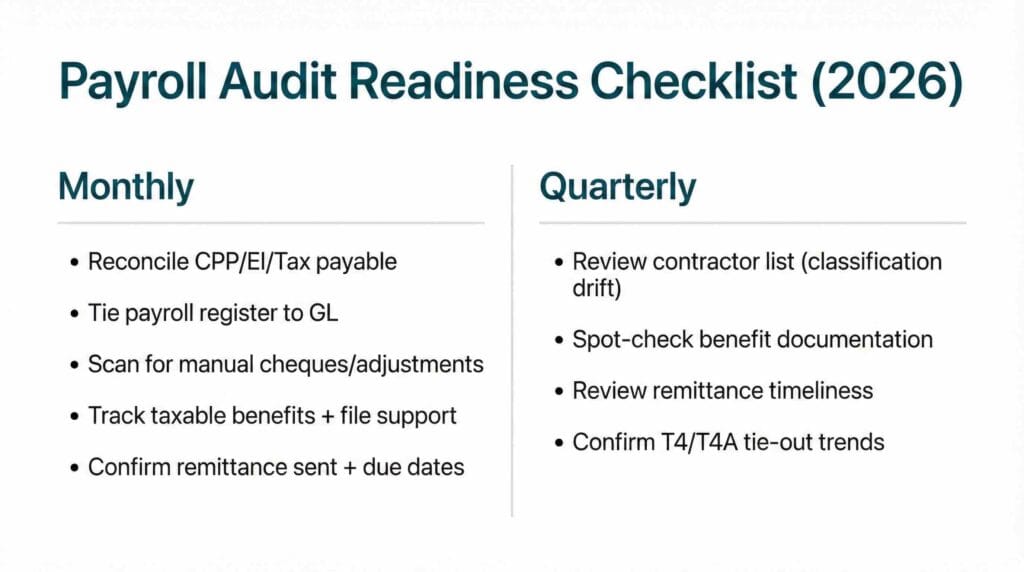
Monthly: keep the numbers tied and the support filed
If you only do one thing, do the payroll liability reconciliation every month. It forces errors to show up quickly.
Then add benefit tracking. A mileage log, a vehicle availability note, a parking arrangement, or an allowance policy captured today saves you a painful reconstruction later.
This monthly rhythm prevents CRA payroll audit red flags from quietly building up.
Quarterly: re-check classification and test your documentation
Every quarter, review your contractor list and ask one question: has the working relationship changed?
It’s common for a contractor relationship to drift into employee-like reality over time. That drift is one of the most common CRA payroll audit red flags we see.
Then do a small documentation test. Pick a few employees who receive benefits or allowances and confirm you can find the support quickly. If it takes more than five minutes, your system needs tightening.
Finally, look at remittance timeliness. If you have even one late remittance per quarter, treat it as a process issue, not a one-off.
CRA payroll audit red flags you can eliminate with one “proof pack”
A “proof pack” is not fancy. It’s simply one folder per year that contains the documents CRA asks for most often.
For 2026, consider a structure like:
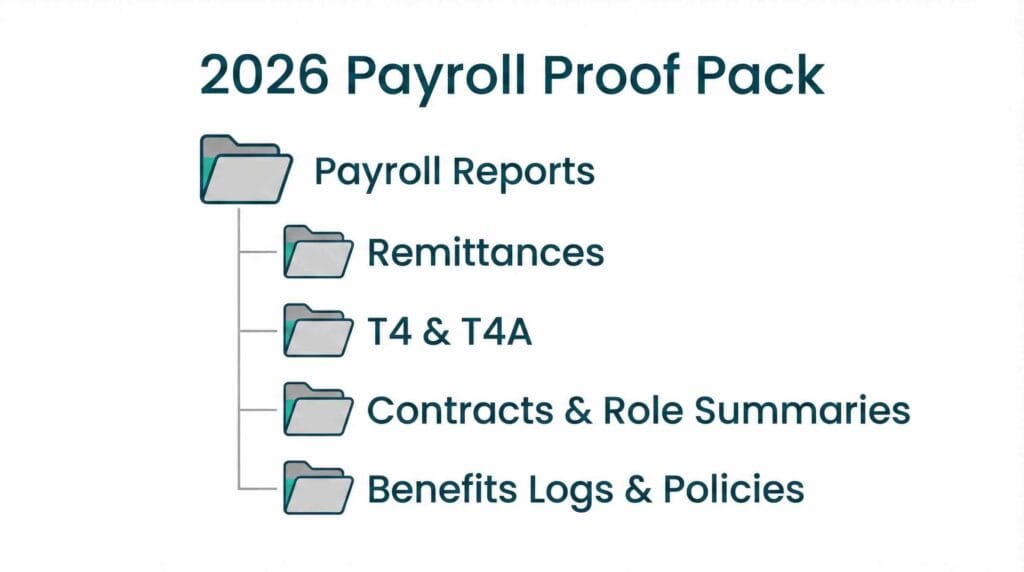
– Payroll reports (registers, summaries, year-end totals).
– Remittance confirmations and a reconciliation worksheet.
– T4 and T4A working papers.
– Contracts and role summaries for contractors.
– Benefit logs and policies.
When your proof pack is complete, CRA payroll audit red flags don’t disappear, but they become easier to explain and support.
How to fix payroll issues before CRA turns them into a bigger problem
If you suspect you have payroll weaknesses, you can usually reduce exposure by acting early and documenting clearly.
Start by fixing in-period settings. If a benefit should be taxable, set it up properly in your payroll system now and capture the support going forward. If remittance timing is shaky, assign clear ownership and create a calendar that does not depend on one person’s memory.
Next, reconcile and document. If you identify an issue, write down what changed, when it changed, and why. That written narrative matters because it shows reasonable care, and it helps your team stay consistent.
If slips or remittances were wrong, your options depend on the facts and timing. The important thing is to correct the records methodically and keep your working papers. Random adjustments without a trail can create more CRA payroll audit red flags, not fewer.
A quick example: what “audit-ready” looks like in a real business
Here’s a scenario I see often.
A company grows from 8 staff to 22 staff in a year. The owner adds a vehicle allowance for two managers, starts paying for parking downtown, and begins using three long-term contractors. Payroll is processed on time, but documentation is informal.
On paper, nothing looks dramatic. In practice, you now have multiple CRA payroll audit red flags:
– Benefits exist without consistent logs or policies.
– Contractors look like employees operationally.
– Payroll accounts are not reconciled monthly, so small differences pile up.
– T4 totals need a big year-end clean-up to tie to the GL.
The fix is not panic. The fix is a system.
Once this business sets up benefit tracking, confirms worker status with proper contracts and role summaries, reconciles monthly, and builds a year-end proof pack, the risk drops sharply. CRA can still review you, but you’re no longer scrambling.
Recommended CRA and employer resources for 2026
These are credible references that align with the areas CRA looks at most often. They also help you train managers who influence payroll decisions without realizing it.
For a clear overview of what CRA does in an audit, see CRA: What you should know about audits.
For worker status, use CRA: Employee or Self-employed.
For benefits, keep CRA Employers’ Guide: Taxable Benefits and Allowances close at hand.
For deadlines, confirm your calendar against CRA: When to remit source deductions (due dates).
For retention, align your file storage with CRA: Where to keep your records and how long to keep them.
Each of these directly connects to common CRA payroll audit red flags, and reading them once a year keeps your internal policies from drifting.
Putting it all together for 2026
A payroll audit is rarely triggered by perfection or imperfection. It’s triggered by patterns.
In 2026, the most controllable CRA payroll audit red flags come down to worker classification, taxable benefits, remittance discipline, reporting that ties out, and recordkeeping you can actually produce on demand.
If you build a monthly reconciliation habit, review contractor relationships quarterly, and keep a simple proof pack, you’ll be in a far better position. Not just for CRA, but for your own decision-making, because payroll data becomes something you can trust.
At Valley Business Centre, we’ve supported businesses across Metro Vancouver, Whistler, Squamish, and the Sea to Sky Corridor for more than 30 years with bookkeeping, payroll, tax preparation, and cloud accounting systems.
If you’re a BC employer in Vancouver, Burnaby, Richmond, Surrey, Coquitlam, or North Vancouver and you want fewer payroll surprises and cleaner audit support in 2026, reach out. We can help you tighten up tracking, reconcile deposits and payouts, and keep documentation organized so year end feels straightforward instead of stressful.
